Because Formed is an online, streaming website its content is not downloadable to a computer.
We do, however, offer an Offline Playback feature only through the Formed app.
To utilize this feature please follow these steps:
1. Download the Formed App onto your mobile device.
2. Sign into the app.
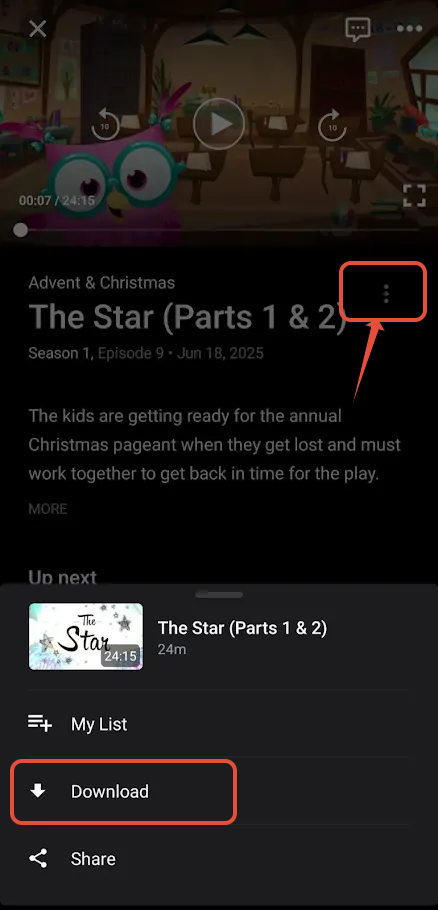
3. Click on the content you would like to download.
4. Click on the three stacked dots next to the title of the video, then choose Download.
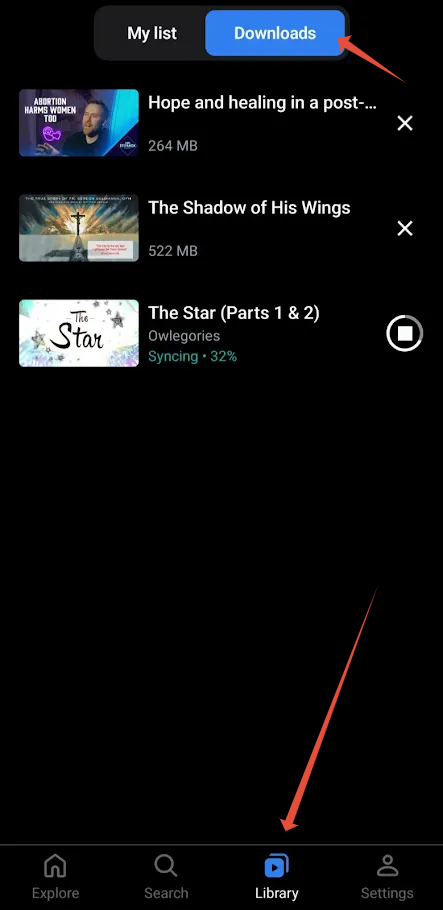
5. To find your download, on the app homepage tap on Library, then choose Downloads.
Was this article helpful?
That’s Great!
Thank you for your feedback
Sorry! We couldn't be helpful
Thank you for your feedback
Feedback sent
We appreciate your effort and will try to fix the article